Rich & Intelligent Management Features

Explore the modules and key features designed to meet the practical needs of modern educational institutions.

1. Academic Setup

Set up departments, majors, degree levels, semesters, and classrooms system-wide.

  • Institutional Structure: Organize and manage departments, majors/skills, and degrees across the school.
  • Course Setup: Define academic terms and years according to official schedules.
  • Classroom Management: Register classrooms and labs for easy scheduling and booking.
Academic Campus

2. Admissions & Front Office

Manage lead inquiries, online applications, entrance exams, and student document verification.

  • Admission Inquiries: Record and manage inquiry details from prospective students and parents for effective counseling.
  • Online Applications: Enable students to apply online directly, simplifying data collection and administrative workflows.
  • Entrance Exams: Manage scheduling, scoring, and results of entrance examinations for new students.
  • Document Verification: Audit and verify student enrollment documents to ensure compliance and validity.
Student Admission

3. Student & Registration Management

Keep comprehensive student profiles, perform bulk enrollment, and track student withdrawals.

  • Student Profiles: Keep personal information, academic history, parent details, and status updates organized.
  • Bulk Enrollment: Allow administrative officers to input batches of student data and assign classes rapidly.
  • Withdrawal Tracking: Track and generate reports on students who withdrew or dropped out to implement retention measures.
Asset Management

4. Academic Operations

Schedule classes, organize syllabi, post student assignments, and track daily attendance.

  • Subject & Schedule Management: Auto-generate timetables and time slots to prevent room and teacher conflicts.
  • Syllabus & Lesson Plans: Allow instructors to construct course syllabi and sequence lessons effectively.
  • Homework & Material Sharing: Distribute homework tasks, lecture slides, references, and e-books to students.
  • Attendance Recording: Record and track daily or period-wise student attendance and compile automatic reports.
Academic Operations

5. Assessments & Grading Hub

Organize exams, compute grades in a digital gradebook, and generate PDF report cards.

  • Exam Management: Create exam timetables, define test subjects, and publish official grades.
  • Digital Gradebook: Automate student score calculations based on customizable criteria (attendance, projects, quizzes, exams).
  • Report Cards: Produce official grade sheets downloadable in PDF format for parents and students.
Academic Operations

6. Finance & Smart Billing

Configure fee structures, process online payments, manage scholarships, and track due balances.

  • Fee Settings: Set up structured fee models based on grade levels, programs, and majors.
  • Online Payments & Receipts: Enable payment gateway integration and auto-generate PDF transaction receipts.
  • Scholarships & Concessions: Manage student financial aid, discounts, and automatic balance recalculations.
  • Arrears Management: Keep tabs on outstanding dues and send automated alerts/reminders to parents.
Financial Management

7. HR & Payroll Management

Maintain staff records, streamline leave approvals, and run automated payroll slips.
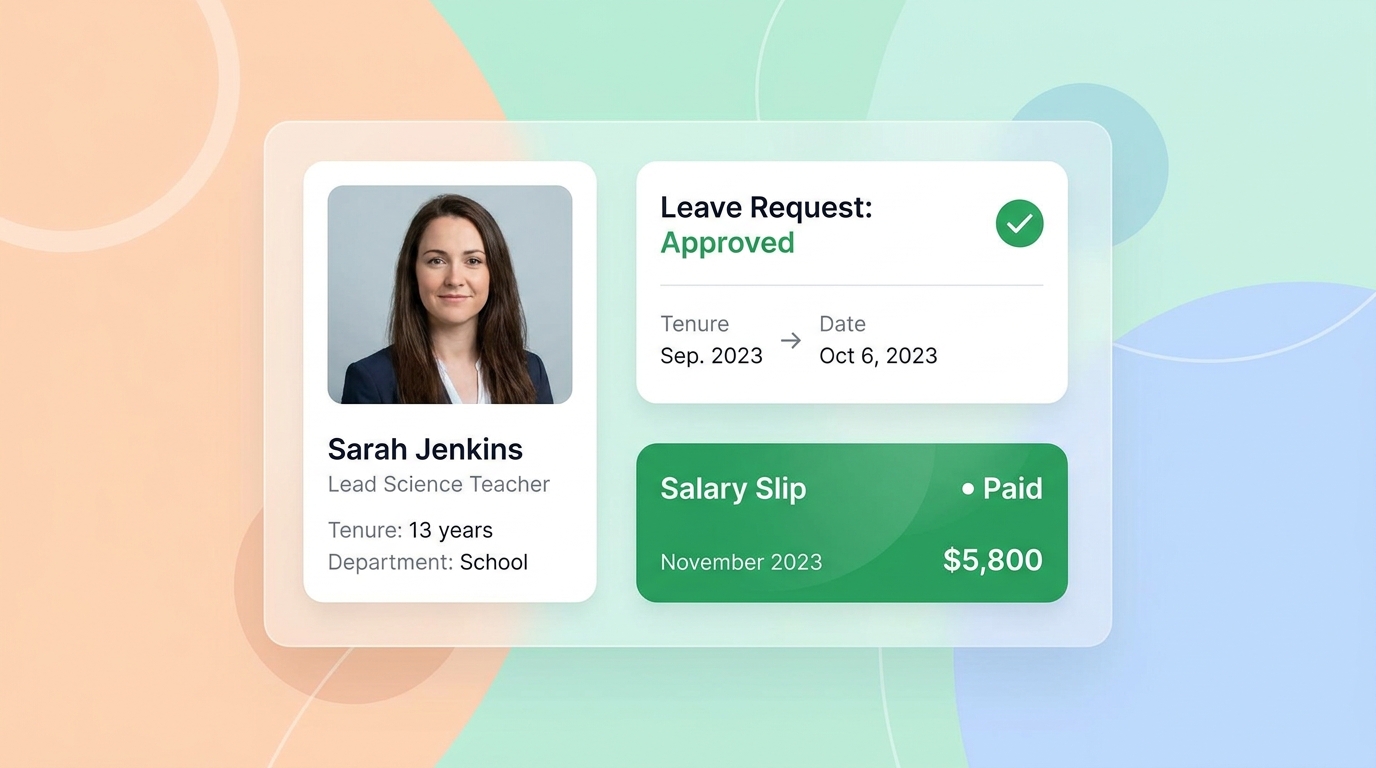
  • Employee Directories: Manage detailed staff and teacher profiles, employment contracts, and credentials.
  • Leave Management: Automate leave submission and approval workflows for teaching and non-teaching staff.
  • Payroll Processing: Calculate salaries based on tracked attendance records and generate digital salary slips.
Financial Management

8. Library Management

Track book checkouts/returns, support OPAC catalogs, and accept book acquisition requests.

  • Cataloging & Lending: Oversee book listings, manage check-in/check-out dates, and compute overdue fines.
  • Book Search & Reservations (OPAC): Allow patrons to search for catalog items online and reserve them remotely.
  • Acquisition Requests: Empower students to suggest books for purchase and upvote peer suggestions.
Financial Management

9. Facilities & Asset Management

Track physical assets, manage inventory stocks, and book rooms with QR-based check-ins.

  • Asset Tracking: Monitor physical equipment, devices, and furniture along with maintenance histories.
  • Inventory Management: Control item stocking, consumption logs, and requisition requests for school supplies.
  • QR Booking: Manage meeting rooms, auditoriums, and labs with quick QR-code-based check-in scanners.
Asset Management

10. Communication & Notices

Publish announcements instantly and receive feedback directly from students/parents.

  • Notice System: Post announcements, alerts, and calendar events to dashboards of students, parents, and teachers.
  • Feedback System: Enable students and parents to submit feedback, suggestions, or direct inquiries to administrators.
Asset Management

Engineered for Institutional Growth & Efficiency

Discover how JASS SCHOOL streamlines front-office admissions, recovers outstanding fees, and eliminates operational bottlenecks.

Admissions CRM

1. Double Enrollments with Front-Office Automation

Tired of manual spreadsheets and lost leads? EduSphere captures prospective student details instantly, enables direct online applications, schedules testing, and tracks enrollment funnels to boost intakes.

  • Automated Inquiry Capture & CRM pipeline
  • Online Registration Portals & upload checks
  • Integrated entrance exams scheduling
admissions_tracker.php
New Registrations
Sok Rithy Pending Exam Verification
Chan Leakhena Admitted & Active
Kosal Panha Document Audit
Conversion Funnel Monthly Stats
Inquiries 1,240
Applications 482
Enrolled 156
Conversion Rate 32.4% (+4.2%)
09:41
Tuition Invoice #1029
Term 2 Fees: $450.00
Due date: 28 Jun 2026
ABA KHQR Pay
KH
Scan code with banking app
Recent Receipts
Invoice #0981 (Term 1) Paid
Admission Exam Slip Paid
Smart Finance

2. Maximize Revenue Collections and Fast Payments

EduSphere removes fee collection bottlenecks. Automated billing engines draft, notify, and collect tuition. Parents pay instantly via dynamic mobile banking QR codes, while automatic system checks identify and notify parents with outstanding dues.

  • Instant payment gateway integrations & auto-clearance
  • Automated defaulters tracking & detailed logs
  • Flexible concessions, discounts, and scholarship setup
Operational Efficiency

3. Slash Operational Effort & Manual Process by 40%

Free your staff from repetitive paperwork operations. By synchronizing biometric logs directly with the staff payroll engine, automating student report cards, and aggregating compliance lists, administrators reclaim 40% of their operational hours.

  • Unified single data core avoids double registrations
  • Biometric check-in logs integrated to payroll slips
  • One-click compliance reporting (PDF / Excel exports)
operational_efficiency_panel.php
Key Indicators
Admin Hours Saved 240 hrs / mo
Paper Cut 90% Reduced
Manual Processes vs. EduSphere
22 mins
Manual Profile Setup
3 secs
EduSphere Automated

The Connected Student Journey

Hover over each step below to witness how the system dynamically coordinates and lights up the corresponding core ERP modules.

01

1. Inquire

Prospect visits front desk or submits web forms. Lead captured automatically in system CRM.

🔗 Triggers: Module 2
02

2. Enroll

Administrative verification of enrollment files, credentials setup, and classroom allocation.

🔗 Triggers: Module 3
03

3. Educate

Student attends class, check-ins, accesses syllabus sheets, writes assignments, and takes exams.

🔗 Triggers: Modules 4, 5, 8
04

4. Graduate

Course credits verification, billing clearance checks, and automated digital transcript generation.

🔗 Triggers: Modules 1, 6